JPG to PNG: How to Convert Images for High Quality and Transparency
imagepixa Team
Image Processing Specialists
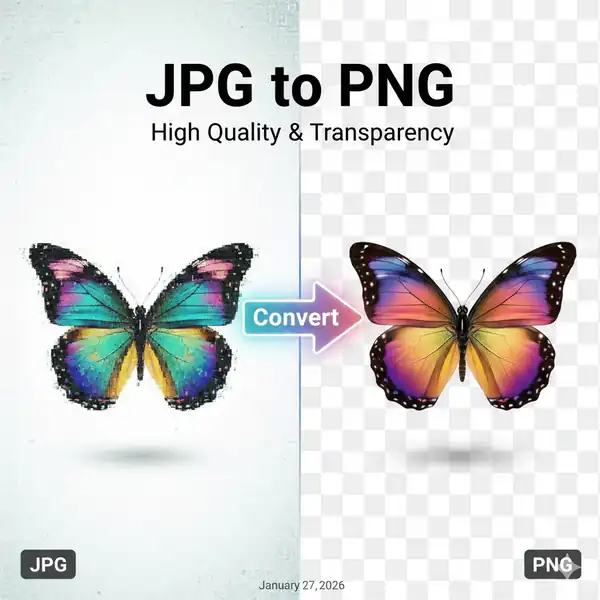
Choosing the right image format is crucial for your website's look and performance. While JPG is great for photos, sometimes you need the crisp quality and transparency of PNG. Here's everything you need to know about converting JPG to PNG.
JPG vs. PNG: The Key Differences
Before diving into conversion, let's understand what sets these two formats apart:
- JPG (Joint Photographic Experts Group): Uses "lossy" compression. It deletes some image data to keep file sizes small. Great for photographs with many colors.
- PNG (Portable Network Graphics): Uses "lossless" compression. It preserves every detail and pixel. Supports transparency (transparent backgrounds).
Why Convert JPG to PNG?
There are specific scenarios where converting your image to PNG is the smart choice:
- You Need Transparency: If you're removing a background from a logo or product photo, you MUST use PNG. JPGs will always fill transparent areas with white.
- Text and Sharp Lines: JPG compression often creates "artifacts" or blurriness around text and sharp edges. PNG keeps lines crisp and clean, making it perfect for screenshots, charts, and graphics.
- Editing Without Quality Loss: Every time you save a JPG, it loses a little quality (generation loss). PNGs can be saved over and over without degrading.
How to Convert JPG to PNG Online
You can easily convert your files without downloading any software. Here is how using our free tool:
1. Access the Converter
Go to the JPG to PNG Converter page.
2. Upload Your JPG
Drag and drop your JPG file into the upload box. Our tool runs in your browser, so your photos stay private and secure on your device.
3. Instant Conversion
Click the convert button. The tool instantly changes the format from JPG to PNG.
4. Download
Save your new high-quality PNG file ready for use!
When Should You Keep it as JPG?
Don't convert everything! If you have a standard photograph (like a landscape or portrait) and don't need transparency, stick with JPG. PNG files can be significantly larger in file size for complex photographs, which might slow down your website if overused.
Conclusion
Understanding when to switch formats is a pro skill in web design. Use PNG for graphics, text, and logos to keep them sharp. Use JPG for general photography to save space. Ready to switch? Try our Free JPG to PNG Converter today.
Ready to optimize your images?
Resize your photos to the perfect dimensions instantly.