Social Media Image Sizes Guide 2026: Every Platform Covered
imagepixa Team
Image Processing Specialists
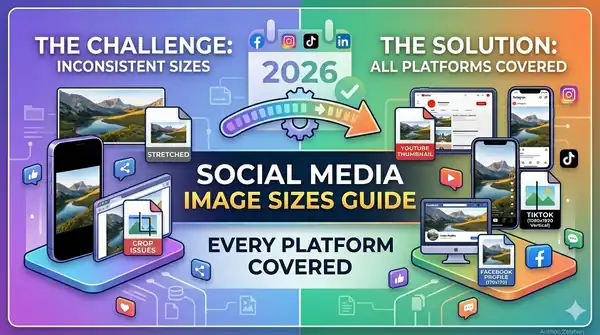
Uploading the wrong image size to social media leads to awkward cropping, blurry photos, and lost engagement. Every platform has its own requirements, and they change frequently. This guide covers the exact image dimensions for every major social media platform in 2026, so your content always looks sharp.
Why Getting Image Sizes Right Matters
Social media platforms automatically resize and compress images that don't match their requirements. This means:
- Wrong aspect ratio: Your image gets cropped, potentially cutting off important content or text.
- Too small: The platform stretches the image, making it pixelated and blurry.
- Too large: Extra compression is applied, reducing quality and creating artifacts.
- Lost engagement: Low-quality visuals get fewer likes, shares, and clicks.
The solution is simple: resize your images to the exact dimensions before uploading. Use the ImagePixa Image Resizer to get pixel-perfect results in seconds.
Instagram Image Sizes 2026
Feed Post
- Square: 1080 × 1080 px (1:1)
- Portrait (recommended): 1080 × 1350 px (4:5) — takes up the most feed space
- Landscape: 1080 × 566 px (1.91:1)
Story / Reel
- Dimensions: 1080 × 1920 px (9:16)
- Keep key content within the center 1080 × 1420 px to avoid overlap with UI elements
For a detailed walkthrough, see our Instagram Story sizing guide.
Profile Picture
- Dimensions: 320 × 320 px (displayed as a circle)
Facebook Image Sizes 2026
Feed Post
- Recommended: 1200 × 630 px (1.91:1)
- Square: 1080 × 1080 px (1:1)
Cover Photo
- Desktop: 820 × 312 px
- Mobile visible area: 640 × 360 px
- Keep important text and logos centered for cross-device compatibility
Profile Picture
- Dimensions: 170 × 170 px on desktop (displayed as circle)
Event Cover
- Dimensions: 1200 × 628 px
X (Twitter) Image Sizes 2026
In-Feed Image
- Single image: 1600 × 900 px (16:9)
- Two images: 700 × 800 px each (7:8)
- Minimum: 600 × 335 px
Header/Banner
- Dimensions: 1500 × 500 px (3:1)
Profile Picture
- Dimensions: 400 × 400 px (displayed as circle)
LinkedIn Image Sizes 2026
Feed Post
- Single image: 1200 × 627 px (1.91:1) or 1080 × 1080 px (1:1)
- Portrait: 1080 × 1350 px (4:5)
Personal Banner
- Dimensions: 1584 × 396 px (4:1)
Company Page Cover
- Dimensions: 1128 × 191 px
Profile Photo
- Dimensions: 400 × 400 px (displayed as circle)
TikTok Image Sizes 2026
Video / Photo Post
- Dimensions: 1080 × 1920 px (9:16)
- Keep key content within the center safe zone to avoid overlap with the UI
Profile Photo
- Dimensions: 200 × 200 px minimum
Pinterest Image Sizes 2026
Standard Pin
- Recommended: 1000 × 1500 px (2:3)
- Taller pins (up to 1000 × 2100 px) are allowed but may get truncated in the feed
Board Cover
- Dimensions: 600 × 600 px
How to Resize Images for Any Platform
Instead of memorizing all these dimensions, use a tool that makes it simple:
- Open the ImagePixa Image Resizer.
- Upload your image.
- Enter the exact width and height for your target platform from the tables above.
- Download your perfectly sized image — ready to post.
Need to adjust the crop area? Use the Crop Tool to select exactly which part of your image to keep before resizing.
Frequently Asked Questions
What is the best image size for Instagram posts in 2026?
The ideal Instagram post size is 1080 × 1350 px (4:5 portrait ratio). This takes up the most screen real estate in the feed. Square posts at 1080 × 1080 px also work well.
What size should Facebook cover photos be?
Facebook cover photos should be 820 × 312 px on desktop. On mobile, the visible area is 640 × 360 px, so keep important content centered.
What image format is best for social media?
JPG is the most universally compatible format for social media photos. PNG is better for graphics with text or transparency. Most platforms also accept WebP.
Do social media platforms compress uploaded images?
Yes, all major social media platforms compress images upon upload. Uploading at the exact recommended dimensions and keeping file sizes under 1 MB minimizes quality loss from re-compression.
Ready to optimize your images?
Resize your photos to the perfect dimensions instantly.